For Merchants
Accept crypto. Settle in local currency.
Set up in minutes on your existing devices. Accept card, QR, invoices, subscriptions, and API payments with autosettlement built-in.
Crypto settles instantly to local currency, while card settlements batch to the same business bank account.
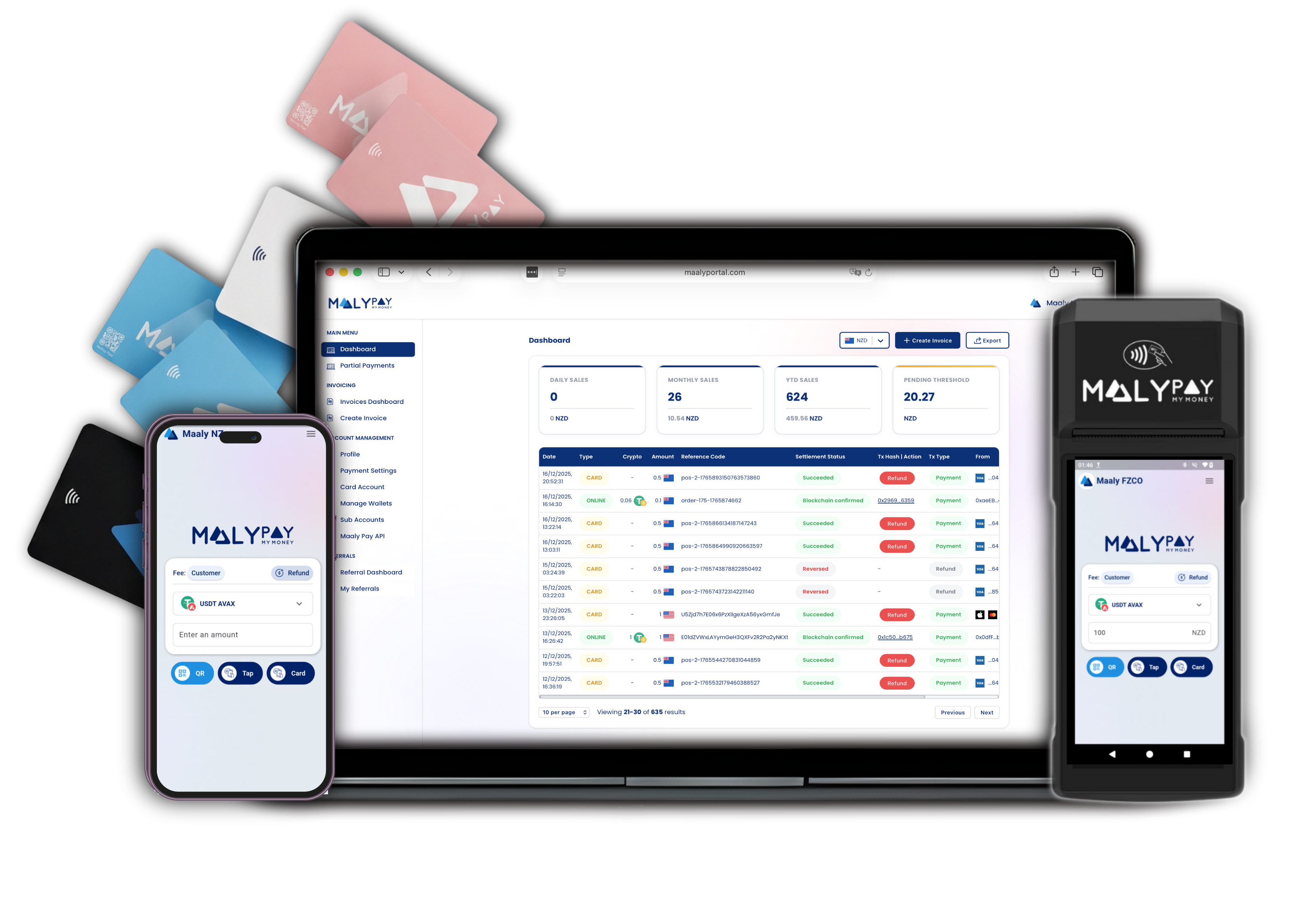
Everything merchants need to get paid
Omnichannel payments with a single dashboard and automatic local currency settlement.
Card payments
Accept all major cards with automatic local currency settlement.
Crypto tap-to-pay (NFC)
Let customers tap to pay in crypto with offline-ready NFC flows.
QR payments
Instant QR checkout for in-store and remote transactions.
Invoices & payment links
Send branded invoices and share payment links in seconds.
Subscriptions
Automate recurring billing with flexible cadence controls.
API & webhooks
Plug Maaly Pay into your stack with developer-first APIs.
Xero & MYOB integrations
Sync settlement data automatically with accounting tools.
Merchant dashboard
Manage branding, payouts, and reporting from one dashboard.
How merchants get live
Step 1
Create your account
Launch your Maaly Pay Merchant Dashboard in minutes.No hardware or new terminals required.
Step 2
Enable channels
Turn on card, QR, invoice, subscription, and API payment options.Launch omnichannel payments from one place.
Step 3
Start settling
Accept crypto and cards while receiving automatic local currency payouts.Everything routes to your business bank account.
Maaly PoS
A guided checkout built for speed
The Maaly PoS keeps checkout consistent every time. Merchants enter the amount, select the asset, and let customers tap or scan to finish in seconds.
Step 1
Enter the amount
Key in the sale amount on the PoS or mobile app. The total displays in local currency.
Step 2
Select the asset to pay
Choose the crypto asset or stablecoin. The PoS calculates the exact crypto amount instantly.
Step 3
Scan or tap to complete
Customers scan the QR or tap with NFC. Confirmation arrives in seconds with autosettlement in the background.
Hardware option
Get a Maaly PoS terminal
Offer customers a dedicated countertop experience with guided prompts and fast confirmations.
Talk to sales about PoSMobile option
Accept on your phone
Download the Maaly Pay merchant app and start taking crypto payments from any Android device.

Maaly PoS walkthrough
See the PoS flow in action.
Walk through the countertop experience — from entering amounts to customer tap or scan — with a fast, guided checkout.
From setup to bank settlement
Step 1
Set up your merchant profile
Verify business details and connect your settlement bank account.Branding, payout cadence, and team access in one place.
Step 2
Customer makes a payment
Accept crypto, card, QR, or invoice payments in one flow.One checkout experience across channels.
Step 3
Crypto settlement converts
Maaly Pay converts crypto in real time based on your rules.Get local currency immediately at checkout.
Step 4
Card settlement batches
Card payments batch to the same business bank account on schedule.Clear reconciliation with reporting by channel.
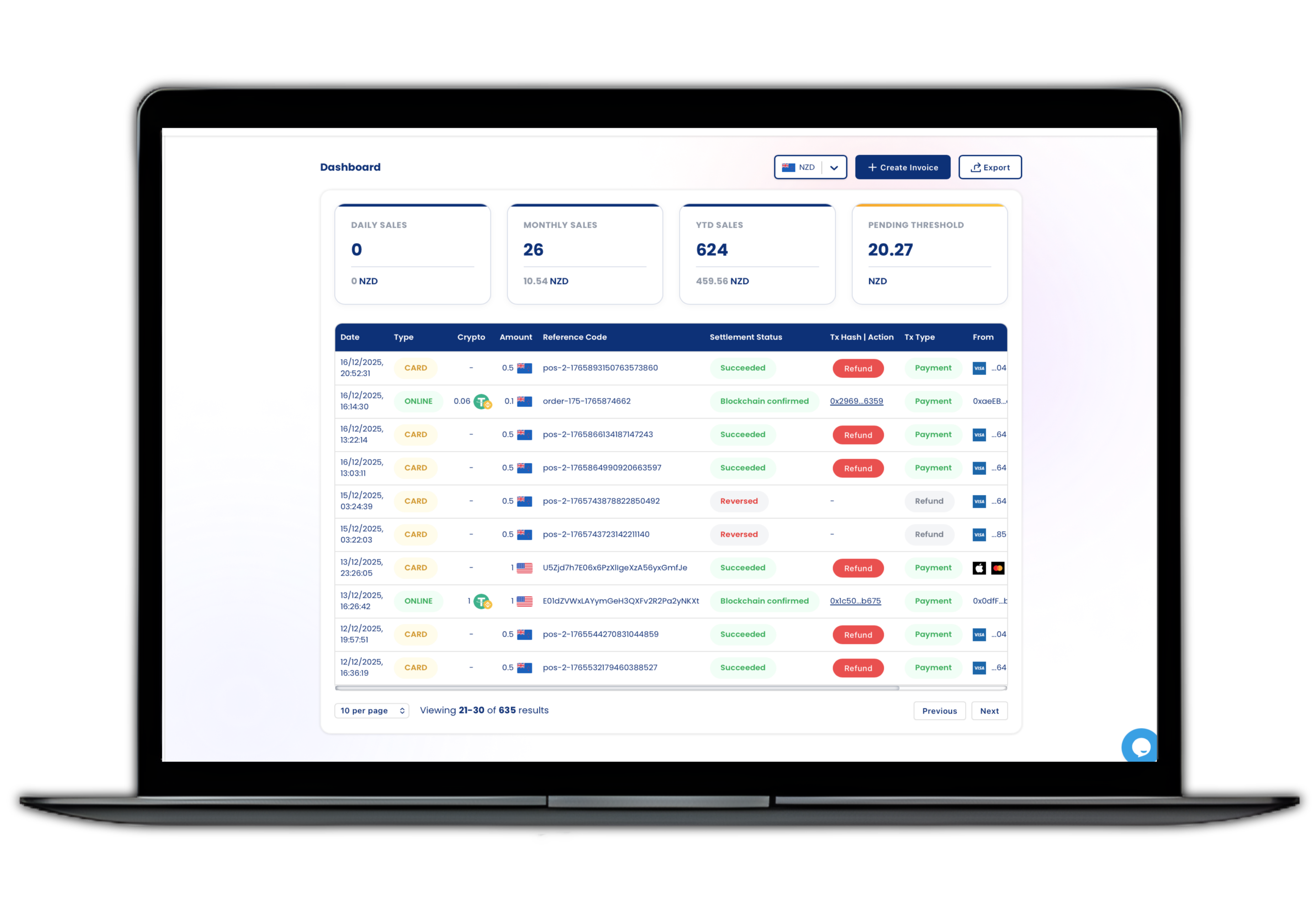
Merchant dashboard
Monitor settlements, fees, and payment performance in real time.
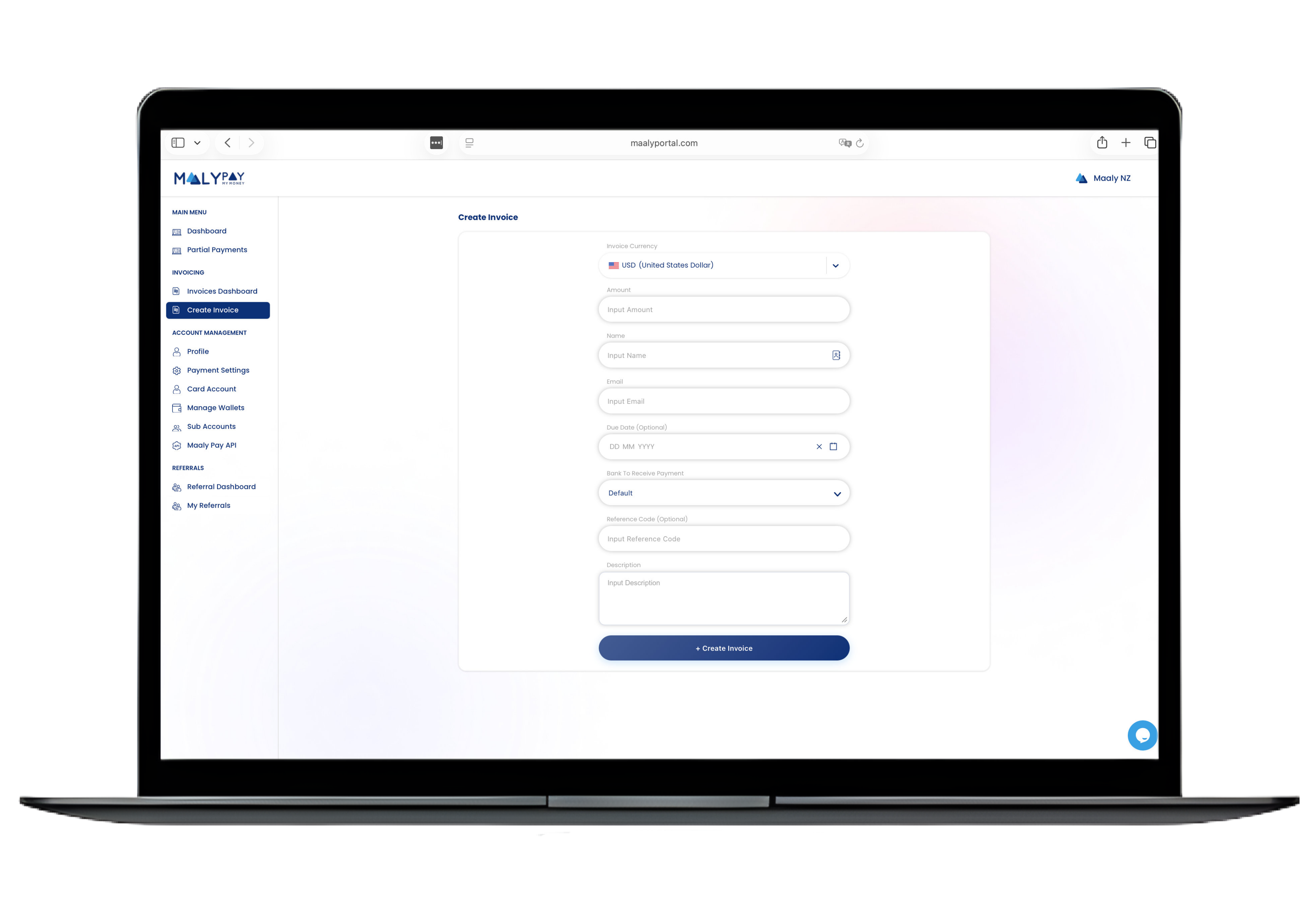
Invoice builder
Create branded payment links and invoices from any device.
Card + Crypto in one flow
Let customers pay however they want with unified checkout.
Omnichannel coverage
Online payments, payment links, and in-person tap-to-pay.
Merchant-grade reporting
Track payouts, fees, and performance by channel.
Trust and transparency
Bank-grade security, multi-layer monitoring, and clear settlement visibility keep your finance team in control.
Average merchant setup time
Autosettlement uptime
Monitoring and fraud defense
Merchant FAQ
Download the app
Get Maaly Pay for merchants
Install the Maaly Pay merchant app on Android to start accepting payments from your phone or tablet.
Ready to start accepting crypto and card payments?
Create your merchant account, enable autosettlement, and launch omnichannel payments in minutes.